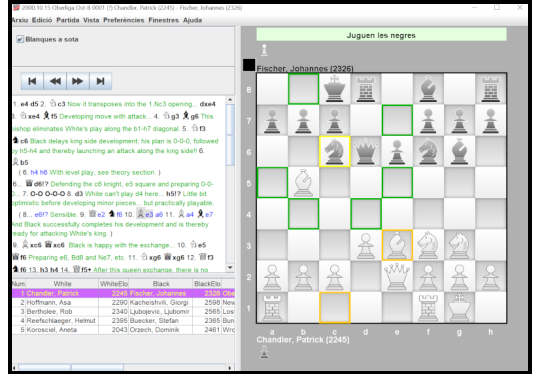
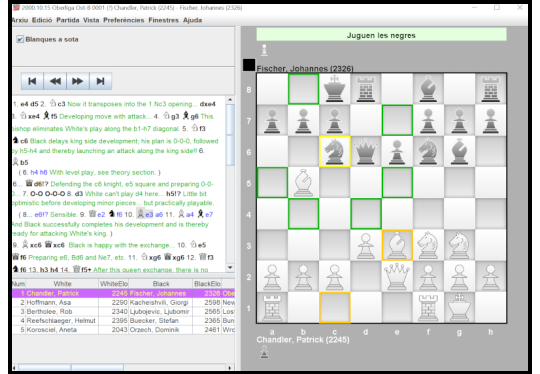
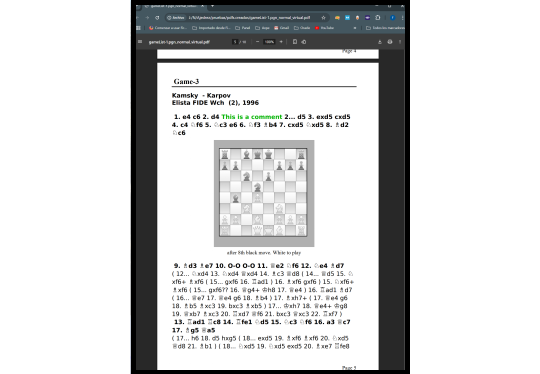
ChessPdfBrowser

The ChessPdfBrowser application was created to address a functionality gap for chess players:

the conversion of chess games in PDF books to a standard .pgn format that can be utilized by any reliable chess application.

It has a personal chesspdfbrowser website

Description

With the application you will be able to:

  • Extract games from PDF books.
  • Navigate through the game variants.
  • Extract diagrams from multiple pages.
  • Identify positions (image -> FEN).
  • Trabajar con el formato estándar de partidas .pgn
  • Working with the .richPgn format, which has been enriched to include information for PDF interaction.
  • Interaction between the PDF and the dashboard
  • Connect with UCI engines (such as Stockfish)
  • Play timed games

General features:

  • Multi-language
  • Configurable multi-resolution zoom
  • Dark mode option
  • User manual

Code description

Application programmed in Java, with libraries organized in modules.


The extraction of games, its most outstanding function, is based on a parser that combines a lexical analyzer with a syntactic analyzer

The initial version of this parser enabled the extraction of games in algebraic notation across multiple languages

As of version v1.26, extracting games using algebraic notation of the pieces is permitted

This new function was developed by enhancing the existing game parser to include a layer that translates piece images into their corresponding initials.

An image-to-initials translator has been implemented using the nearest neighbor algorithm with K = 1

The translator chooses the closest option based on an error measure from the labeled examples it has set.


Another interesting feature introduced in version 1.20 is position recognition. The application attempts to determine the position's FEN string by analyzing an image of the chessboard.

This functionality is based on theories from an IEEE article that I purchased for reference:

  • It aims to determine the positions of the squares on the chessboard by detecting their sides.
  • If successful, the app traverses all the squares and tries to recognize the pieces in each square. The app will try to identify the piece with the nearest neighbor algorithm if a square is empty.
  • If all the squares are successfully identified, it is assumed that the board is also identified successfully.
  • If the user cannot identify all the squares, the application will show them the board with the recognized squares and asked to complete it for more examples to identify the board entirely.

When the games are extracted from a PDF, the board reader is self-trained using images of known positions, which help it learn to identify squares with pieces


Version 1.20 introduces a new feature that extracts game metadata, including player names, ELO ratings, dates, and locations.

This feature utilizes a system of regular expressions that accommodates various metadata formats I encountered during testing.


Another interesting feature added in v1.20 is the option to connect to UCI-like engines, such as Stockfish.

I developed a generic engine configurator for this feature. It reads the engine configuration upon connection and generates a form for users to modify the engine options.


In version v1.26, support has been added for extracting games in algebraic notation from figures.


Since version 1.30, the application includes a new binary that allows you to create a PDF from a .pgn file, with two options: a graphical interface application, or a command-line application option, to automate the process.
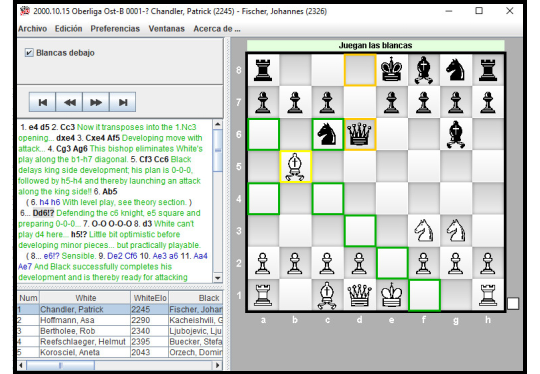
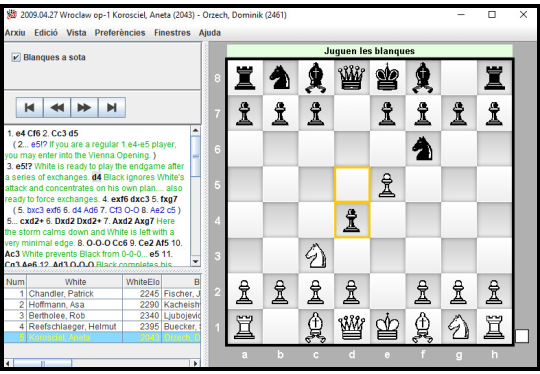
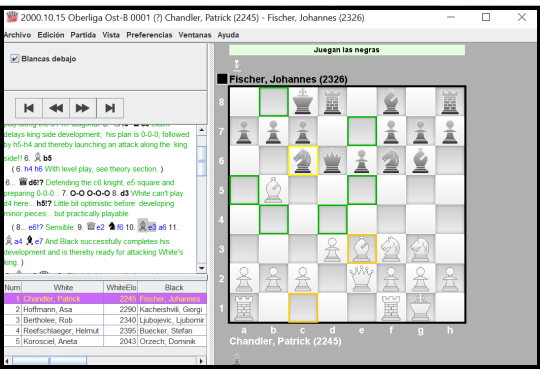
Version v1.33 adds support for working with scanned PDFs.

Windows

ChessPdfBrowser v1.0 (2016)

Download

ChessPdfBrowser v1.1 (2019)

Download

ChessPdfBrowser v1.11 (2019)

Download

ChessPdfBrowser v1.20 (2020-2023)

Watch vídeo
Download

ChessPdfBrowser v1.26 (2023-2024)

Watch vídeo
Download

ChessPdfBrowser v1.27 (2024)

Watch vídeo
Download

ChessPdfBrowser v1.30 (2025)

Watch vídeo
Download

ChessPdfBrowser v1.33 (2025)

Watch vídeo
Download

ChessPdfBrowser v1.36 (2026)

Download

Versions

image

The Chess PDF Browser is an application programmed in Java that allows you to browse chess books in PDF format.

It also enables working with game files in .pgn format.

View a chessboard where you can browse through different games.

Allows you to open PDF chess books and extract games to save in .pgn format.

Allows you to edit the variants of the games stored in memory, whether they are read from .pgn, extracted from a PDF, or created directly by moving the pieces on the board.

There is a comprehensive manual that details how the application works.

image

Several bugs have been fixed, and new features have been added in the latest version of the application:

  • New experimental game extractor.
  • Mark moves as novelties. (Novelty).
  • Language support in Russian has been added.

There is a comprehensive guide that explains how the application works.

image

The user guides have been updated with the new version of the application.

There is a comprehensive guide that explains how the application works.

image

With the latest version of the application, numerous new features have been added:

  • The experimental line item extractor has been replaced by a new extractor that now takes into account brackets and square brackets.
  • The system now has the capability to extract game data, including player names and ELO rankings.
  • The ability to view the moves in a game in algebraic notation.
  • An OCR has been implemented to recognize board positions and add them to games that do not start from the standard starting position.
  • Now you can play games against another person or an engine or play two engines against each other.

  • Enhanced connectivity to UCI engines:
    • Modify the engine settings, for example, by decreasing the level to play against a lower level than the maximum.
    • Analysis of positions.
    • Full game analysis.
    • You can use an engine as a player in a game.
  • Dark mode option

There is a comprehensive guide that explains how the application works.

image

The application's new version can now extract game moves from PDFs using figurine algebraic notation.

What's new in this version:

  • The software allows for extracting games in figurine algebraic notation, notating the movements of the pieces.
  • Enhanced board position recognition using optical character recognition (OCR).
  • Some bugs have been fixed.

There is a comprehensive guide that explains how the application works.


You can see a video of the new feature Demo video

image

The new version includes improvements in position detection (image -> FEN)

image

The new version includes a new binary that allows you to create PDFs from Pgns.

In this link you can find a demo video of the new functionality

image

The new version adds the option to work with scanned PDFs


When I implemented the code to handle PDFs, the option was to use pdfbox to work with the PDF details.

But I didn't like the idea of ​​the business logic explicitly using that dependency, so I decided to create a PDF interface that offered the functionality, and program an implementation that made use of the pdfbox library


The drawback was that for pure scanned PDFs (without anyone having added the text), the library couldn't return the text associated with the scanned pages.

Therefore, the application couldn't offer the functionality to extract entries from scanned PDFs.


This new version now allows you to try to extract entries from scanned PDFs.

This has been made possible by programming a new implementation of the PDFs interface, which attempts to offer functionality reasonably similar to that of "normal" PDFs with the existing pdfbox implementation.

This new library internally uses pdfbox to obtain the images of the scanned pages, and, for each page, invokes an external OCR located in the cloud.

Since working this way in real time would be extremely slow (invoking the OCR for each page takes between 3 and 10 seconds), the library invokes the OCR only once for each page.

Once the OCR has been invoked, the result is saved to the file system, and subsequent times the application needs it, it is retrieved from there.


The result is that the new library is equivalent and interchangeable with the pure pdfbox library, offering equivalent functionality for "normal" PDFs and scanned PDFs.

Although the drawback is that the text recognition offered by the OCR is not as perfect as the text extracted from "normal" PDFs.


For extracting games, the application already offered a mechanism that allows you to choose to change "l"s to "1"s and "S"s to "5"s.

For scanned PDFs, some new translations have also been added (changing "£"s to "f") and these translations are fixed, without user intervention.

These character transformations greatly improve the extraction of movements.

The result of extracting games is not perfect, but it is possible to extract some sequences of moves, and by editing the games and with a little patience, the sectioned games can be reassembled.


At this link you can find a demo video of the new functionality

image

This version of the application was created with the aim of improving the application to extract the best possible results from the chess games in the Chess PDF shared by the Community of Madrid


The first attempt to extract these games was somewhat disastrous, as the PDF had features that were not accounted for in the application:

  • The PDF has games whose moves do not explicitly distinguish captures (i.e., captures appear without the "x". For example: "ed4" instead of "exd4").
  • There is also a feature in the endgame diagrams, where the style of the figures seems to be sufficiently different from the rest of the PDF, which caused the application to fail to train itself automatically. or even manually, since I was trying to include all the labeled examples in the same model.
  • Page layouts with diagrams were not detected correctly by any of the layout detectors available in the application.

With these problems in mind, I tried to find a solution:

  • Now the application accepts explicit capture symbols, but does not rely on them blindly. It also allows for the absence of these symbols, and it is during the determination of the origin and destination squares of the move that it is finalized whether a move is a capture or not, writing it appropriately to the saved .pgn file.
  • The option to manage more details of the position recognizer models has also been added, allowing you to choose a specific one or create a new one to manually train the recognizer with a position where recognition failed.
  • Furthermore, it is now possible to delete models or configure more details of them using a new window for managing them.
  • Two new types of layout detectors have been added, created specifically for diagram extraction.

While debugging the extraction of games from the PDF, I found some bugs that had been introduced at some point with the latest changes made to the application.

(Sorry, the application doesn't have unit tests, and it's not easy to detect when a feature that previously worked is broken)


The bugs fixed are related to position detection (automatic position recognition had broken).

A problem related to the detection of (N) Novelties has also been fixed, along with several other issues to improve the functionality of some other features.

In addition, an attempt has been made to improve the identification of images with chess positions for detectors of layouts that were neither GROWTH nor OCR type, equating image position identification with that of those two layout detectors.


My opinion is that this latest version is the most refined version of the application to date.

Videos

Descargas